How to Check Your Google Play Gift Card Balance in 2026
Checking your Google Play gift card balance in Nigeria works differently from checking a Mastercard or Visa gift card balance — and most guides on this topic skip the most important information that you actually need. There is no public Google portal where you enter a code and see the balance, but there is a working method most users do not know about: the redeem-screen preview. This guide walks through it step-by-step, plus every other method that applies after redemption.
FlipEx has been helping Nigerians convert and trade gift cards including Google Play gift cards to Naira since 2016. Google Play is one of the most-traded cards on the platform, and confusion about balance-checking is one of the most common questions our users raise.
Nigeria's gift card market is one of the fastest growing in Africa, expected to reach $2.56 billion in 20262026, and Google Play remains a top pick for Nigerian gamers, app users, and gift recipients.
Quick Answer to Checking Google Play Gift Card Balance
First, How Google Play Gift Card Balance Checking Actually Works
Google Play does not have a public balance-check portal in the way Mastercard or Apple do. There is no equivalent of secure.store.apple.com/shop/giftcard/balance — no website where you enter a code and instantly see the balance without touching an account.
But that does not mean you cannot check the balance before redeeming. There is a working method most guides skip:
- When you enter a gift card code in the Google Play redeem flow, Google shows you the card's value on a preview screen before you confirm. The card stays unredeemed until you tap the final confirm button. If you only want to verify the amount, you stop at the preview screen and back out — the code is still valid for redemption later or for sale on FlipEx.
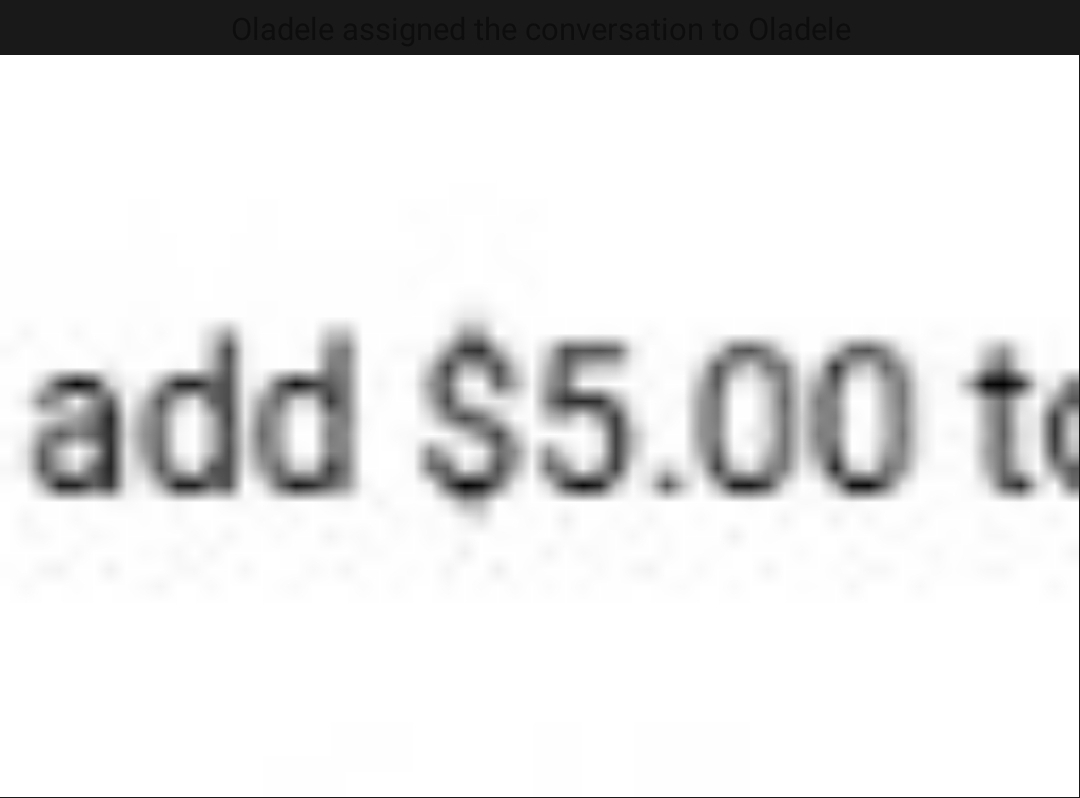
- The preview screen also confirms the card's currency and region (for example, "add $5.00 to your Google Play balance" for a US card, or "add R$250.00" for a Brazilian card), so it doubles as a region check before you commit.
This is the closest thing to an official balance check Google provides, and it is reliable. Method 1 below walks through it step-by-step.
After redemption, the card's value becomes Google Play balance — credit attached to a specific Google Account. From that point on you check the balance through the Google Play app or website, not through the card. Methods 2 through 4 cover that flow.
One important warning: any third-party website claiming to check an unredeemed Google Play gift card balance is either a scam designed to steal your code or a redemption portal in disguise. Never enter a Google Play gift card code on any site that is not play.google.com
Method 1: Check the Balance Using the Google Play Gift Card Redeem Preview (Before Redemption)
This is the method that lets you verify a Google Play gift card balance without committing to redeem it. Google shows the card's value on a preview screen after you enter the code but before you tap the final confirm button. As long as you do not tap that confirm button, the card stays unredeemed.
Step-by-step on Android
- Open the Google Play app on your Android device.
- Tap your profile picture in the top-right corner.
- Select Payments & subscriptions, then Redeem code.
- Enter your gift card code carefully — the 16-20 character code from the back of the physical card or from the email.
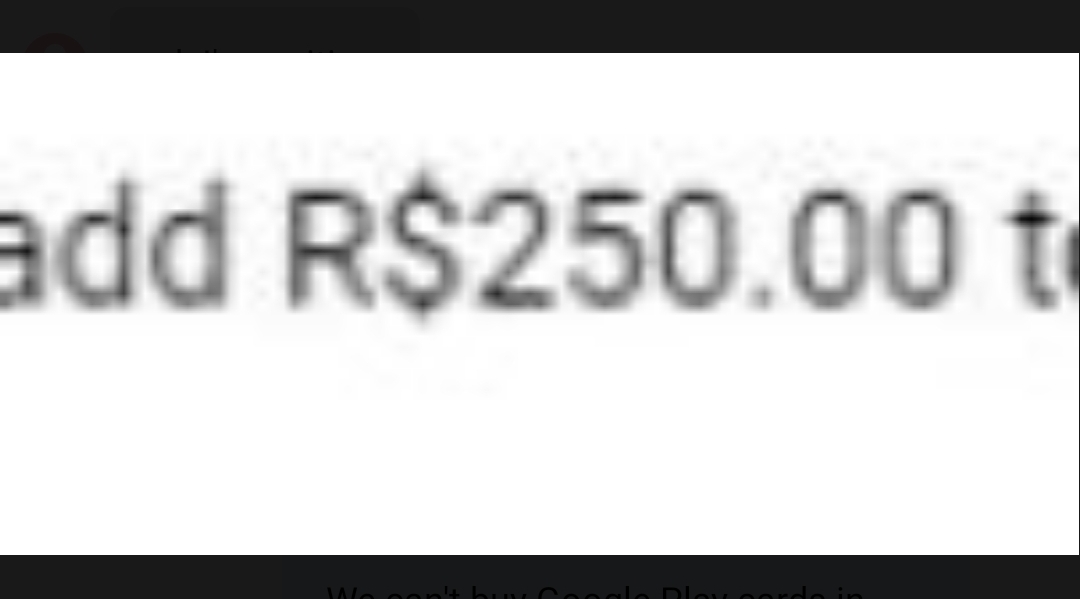
- Tap Redeem. Google takes you to a preview screen showing the card's value, for example "add $5.00 to your Google Play balance" for a US card, or "add R$250.00 to your Google Play balance" for a Brazilian card.
- Stop here if you only want to verify the balance. Tap the back arrow or close the screen — the card is not yet redeemed and the code remains valid.
- If you do want to redeem, tap the final confirm button on the preview screen. The amount is added to your Google Play balance.
Step-by-step on iPhone, iPad, or any browser
The Google Play app is Android-only, but the same flow works through the Google Play website on any device:
- Open any browser and go to play.google.com
- Sign in with your Google Account.
- Click the profile icon in the top-right, then Payments & subscriptions, then Redeem gift code.
- Enter your code and click Redeem.
- The same preview screen appears showing the card's value before you confirm. Stop here to verify, or click confirm to add the funds to your account.
What this preview tells you
- The exact balance on the card (the face value).
- The card's currency — useful when you have received a card from someone abroad and need to confirm whether it is USD, GBP, EUR, BRL, or another currency.
- Implicitly, the card's region. If the preview shows a currency that does not match your Google Account country, the card is region-locked and cannot be redeemed on this account. The full "Code is not valid in this country" error usually appears at this stage too.
Important: do not redeem a Google Play card you intend to sell on FlipEx. Once you tap the final confirm button, the balance is locked to your Google Account and cannot be transferred. Use this preview method to verify the value, then back out and sell the card unredeemed if cash is what you want.
Method 2: Check Your Google Play Gift Card Balance on Android (After Redemption)
Once your gift card has been redeemed into a Google Account, the balance is added to that account's Google Play balance. Here is how to check it on Android:
- Open the Google Play app on your Android device.
- Tap your profile picture in the top-right corner.
- Select Payments & subscriptions, then Payment methods.
- Your Google Play balance is displayed at the top of the Payment methods list.
If the gift card was redeemed correctly, the balance reflects the gift card amount plus any existing balance you already had. If no balance is shown, the redemption may not have completed — try again from the Google Play app's Redeem option.
Method 3: Check Your Google Play Gift Card Balance on iPhone or iPad
Yes, this works on iPhone — even though the Google Play app is Android-only, you can still check the balance of a Google Account that has Google Play credits, through the Google Play web interface:
- Open any browser on your iPhone or iPad and go to play.google.com.
- Sign in with the Google Account that holds the gift card balance.
- Tap the profile icon in the top-right corner.
- Select Payments & subscriptions, then Payment methods.
- Your Google Play balance is shown at the top.
Note that Google Play balance can only be spent on Android devices or web purchases linked to that Google Account — it cannot be transferred to an Apple ID, your bank account, or another Google Account.
Method 4: Check Your Google Play Gift Card Balance on a Computer
The fastest method if you are at a desk:
- Go to play.google.com in any browser.
- Sign in with your Google Account.
- Click the profile icon in the top-right corner.
- Select Payments & subscriptions.
- Your balance is displayed at the top of the Payment methods page.
This method works from Nigeria without restrictions, on any operating system, and on any browser.
Common Problems When Checking Your Google Play Gift Card Balance
If something goes wrong, FlipEx identified some of the most common Google Play gift card errors so, when you try to check your Google Play balance, the table below summarises the most common situations:
A Note on Google Play Region Restrictions
Google Play gift cards are heavily region-locked — more than Apple gift cards in many cases. A US Google Play card cannot redeem on a Nigerian Google Account, a UK card cannot redeem on a US account, and so on. The card's country is printed on the back, and Google verifies it during redemption. There is no workaround. If you have a card from the wrong region, your two real options are: switch your Google Account country to match the card (which can affect your other purchases and is not always reversible), or sell the card on FlipEx as-is. For more on the errors that come up during redemption, see our guide on understanding different Google Play gift card errors.
What to Do With Your Google Play Gift Card Balance
Option 1: Spend It on the Google Play Store
Once redeemed, your Google Play balance can be used for app purchases, in-app purchases, Google Play Books, Google Play Movies & TV (where available), and subscription services like YouTube Premium and Google One. Balance is consumed automatically when you make a purchase — you do not need to select it as a payment method.
Option 2: Convert It to Naira on FlipEx
If your Google Play card is region-locked, unwanted, or you would simply rather have cash, sell it on FlipEx. The conversion process takes minutes and pays directly into your Nigerian bank account. Check your card's current value on the FlipEx Rate Calculator before you trade. To see how much a $100 Google Play card is currently worth, see how much is a $100 Google Play gift card worth in Naira. FlipEx has been featured across Nigerian media including Nairametrics, TechCabal, and Vanguard as Nigeria's leading gift card trading platform.
Important: do not redeem a Google Play card you intend to sell. Once redeemed, the balance is locked to your Google Account and cannot be transferred. To sell on FlipEx, keep the card unredeemed — the buyer redeems it on their end.
Sell Your Google Play Gift Card on FlipEx
Have a Google Play card you do not need? Skip the redemption and turn it into Naira instead. Download the FlipEx app on Android or iOS, select Sell Gift Card, choose Google Play, enter your card details, and get paid instantly.
Frequently Asked Questions
Can I check my Google Play gift card balance before redeeming it?
Yes — through the Google Play redeem flow's preview screen. Open the Google Play app, tap your profile, go to Payments & subscriptions, then Redeem code, enter the card code, and Google shows the card's value on the next screen before you confirm. As long as you back out before tapping the final confirm button, the card stays unredeemed and the code remains valid for use elsewhere or for sale on FlipEx. There is no separate public balance portal — this preview is the only working method. Any third-party website claiming to check Google Play balances is either a scam or a redemption portal in disguise.
Can I check my Google Play gift card balance from Nigeria?
Yes — for a card that has already been redeemed, you can check your Google Play balance from any Android device or browser in Nigeria. Open the Google Play app or play.google.com, sign in, tap your profile, and go to Payments & subscriptions. The balance is shown at the top.
Why is my Google Play balance lower than expected?
The most common reason is that the balance has been partially spent on app purchases, subscription renewals (YouTube Premium, Google One, third-party app subscriptions), or in-app purchases. Check your purchase history at play.google.com to see what has been deducted.
How do I sell my Google Play gift card in Nigeria?
The fastest way to sell a Google Play gift card instantly in Nigeria is through FlipEx. Open the app, select Sell Gift Card, choose Google Play, enter your card details (do not redeem first), and receive your Naira payout in minutes. See our guide on the best gift card trading app in Nigeria for a comparison of your options.
Can I transfer my Google Play balance to another Google Account or to my bank?
No. Google Play balance is non-transferable. Once funds are added to a Google Account, they stay there and can only be spent on Google Play purchases or eligible subscriptions for that account. If you want cash instead, the only path is to sell an unredeemed gift card on FlipEx before redemption.
Do Google Play gift cards expire?
Most Google Play gift cards do not expire, but some promotional cards have an activation deadline. Google Play balances inside an account also do not expire. That said, redeeming a card and then leaving the balance unused for years is not recommended — Google occasionally updates terms, and account-level changes can affect availability.
What is the difference between a Google Play gift card and Google Play balance?
A Google Play gift card is a one-time-use code that adds funds to a Google Account. Google Play balance is the total amount of credit inside a specific Google Account, which may include funds from one or more redeemed gift cards. Once redeemed, the gift card is consumed; the balance lives on inside the account.
My Google Play card says "Code not valid in this country." What can I do?
This means the card was issued in a different region than your Google Account. Google Play cards are strictly region-locked and there is no official workaround. The two options are: switch your Google Account country to match the card (which has wider consequences), or sell the card on FlipEx as-is. Most Nigerians choose the second option.
Related Reads
• How to Convert Your Google Play Gift Card to Naira
• Understanding Different Google Play Gift Card Errors
• How to Fix Google Play More Info Gift Card Error